0.4 mm vs 0.6 mm nozzle: which should you print with
Quick answer
Keep the 0.4 mm nozzle your printer shipped with for the vast majority of prints: it lays down usable layers from 0.10 to 0.30 mm and preserves fine horizontal detail on smaller features. Move up to a 0.6 mm nozzle only when you are printing large, mostly solid parts and your hotend is actually capable of the higher flow rate a 0.6 mm nozzle demands, since a bigger nozzle without the flow to match it does not deliver the speed gain it promises.
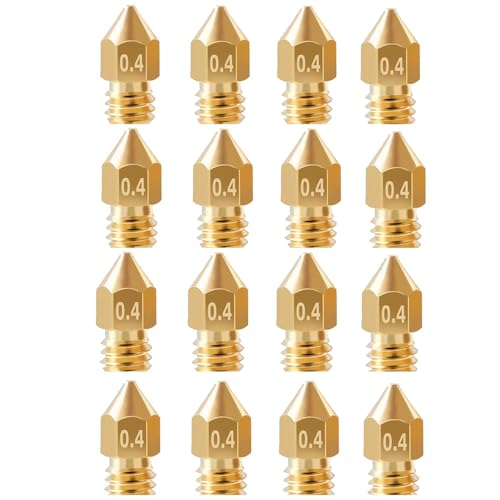
16Pcs Ender 3 Nozzles 0.4mm, MK8 Extruder Nozzles 0.4mm Compatible for Creality Ender 3 v2/Ender 3 Pro/Ender 3 Max/Ender 5 Pro/Ender 3 S1/Ender 3 Neo/CR-10 Series 3D Printer Brass Nozzles,
detailed models, small features, and the default choice for most printing
| 0.4 mm nozzle | 0.6 mm nozzle | |
|---|---|---|
| Usable layer height range | 0.10 to 0.30 mm | 0.15 to 0.45 mm |
| Horizontal detail | Finer, set by the smaller nozzle diameter | Coarser, set by the larger nozzle diameter |
| Speed on solid parts | Standard | Faster, but only if the hotend can supply enough flow |
| Minimum wall and feature size | Smaller minimum feature size | Larger minimum feature size |
| Flow rate demand | Lower, works on stock hotends | Higher, may exceed a stock hotend's output |
| Best use case | Detailed models, small parts, general printing | Large, mostly solid parts where speed matters more than fine detail |
What layer heights actually work with a 0.4 mm vs a 0.6 mm nozzle?
The standard rule of thumb is that a usable layer height runs from about a quarter to three quarters of the nozzle diameter. For a 0.4 mm nozzle that works out to roughly 0.10 to 0.30 mm layers, and for a 0.6 mm nozzle that range shifts up to roughly 0.15 to 0.45 mm. Going outside that range in either direction tends to cause poor layer adhesion or visible defects, since the nozzle is not shaped to lay down plastic reliably that thin or that thick relative to its own opening.
Does a bigger nozzle actually print faster?
Only if the rest of the hotend can keep up. A 0.6 mm nozzle can lay down more plastic per pass than a 0.4 mm nozzle at the same print speed, which is where the speed gain comes from on solid, wide-wall parts. But that gain depends entirely on the hotend being able to melt and push plastic fast enough to fill that wider bead; if the heater and melt zone cannot supply that flow rate, the printer either has to slow back down to compensate or starts under-extruding, and the theoretical speed advantage disappears.
Before buying a 0.6 mm nozzle expecting a speed boost, check whether your specific hotend is rated for high flow rates. A stock hotend on a budget printer is often the limiting factor, not the nozzle.
Will a 0.6 mm nozzle ruin fine detail on my model?
It will reduce it, and this is set by the nozzle diameter itself, not by the layer height you choose. Horizontal detail, meaning how small a feature the nozzle can resolve while moving sideways, is limited by how wide the extruded bead is, so a 0.6 mm nozzle simply cannot trace features as fine as a 0.4 mm nozzle can, regardless of how thin you slice the layers. Printing thinner layers with a 0.6 mm nozzle improves vertical smoothness on curves, but it does nothing for small text, tight corners or thin walls.
Both sides of this comparison
- LKNNEASTO
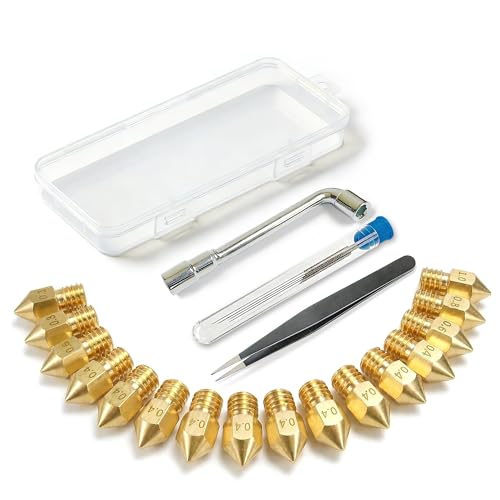
3D Printer Nozzle Kit, 16PCS MK8 Brass Nozzles 0.2/0.4/0.6/0.8/1.0mm
$7.19 Check pricePrices change often - Mudder
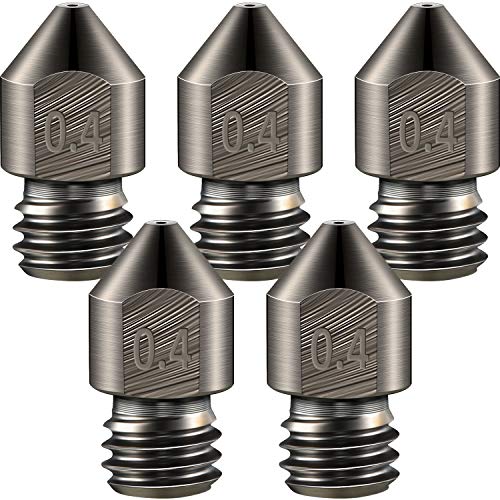
Mudder 5 Pcs Hardened Steel Nozzles 0.4mm Mk8 3D Printer Nozzles
$8.49 Check pricePrices change often - XIFOWE
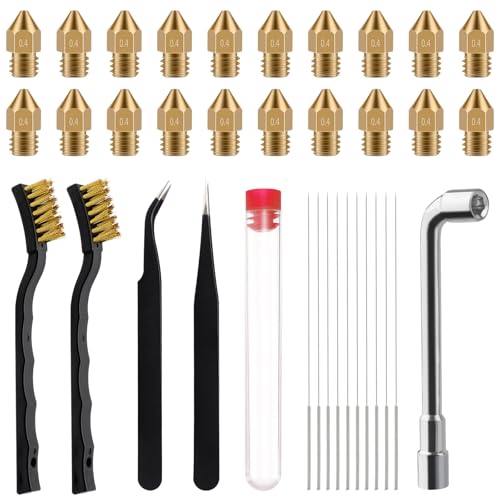
XIFOWE MK8 Nozzles 25 pcs 0.4mm 3D Printer Extruders Brass Nozzles
$9.99 Check pricePrices change often


Safety
Common questions
What layer height should I use with a 0.4 mm nozzle?
Somewhere between 0.10 and 0.30 mm generally works well, following the rule that usable layer height runs from about a quarter to three quarters of the nozzle diameter. 0.20 mm is a common middle-ground default that balances speed and surface quality for most prints.
What layer height should I use with a 0.6 mm nozzle?
Roughly 0.15 to 0.45 mm, using the same quarter-to-three-quarters rule applied to the larger diameter. Many people run a 0.6 mm nozzle closer to the top of that range specifically to capture the speed benefit on large solid parts.
Do I need a different hotend to use a 0.6 mm nozzle?
Not necessarily to install it, but you need a hotend rated for a high enough flow rate to actually benefit from it. If your hotend cannot melt and push plastic fast enough, a 0.6 mm nozzle will not print meaningfully faster than a 0.4 mm nozzle, even though it is physically installed and working.
Can a 0.6 mm nozzle still print small detailed parts?
It can print them, but the fine detail will be visibly softer because the nozzle diameter, not the layer height, sets the smallest feature and wall width the printer can resolve horizontally. For small detailed models, a 0.4 mm or smaller nozzle stays the better tool.
Is it worth keeping both a 0.4 mm and a 0.6 mm nozzle on hand?
For anyone who prints a mix of detailed models and large solid parts, yes. Swapping nozzles is a quick, low-cost way to match the tool to the job rather than compromising one way or the other on every single print.