Supports and overhangs
Quick answer
An overhang steeper than roughly 45 degrees from vertical usually needs support to print cleanly, though the exact angle a printer can handle unsupported depends on cooling and material; tree or organic supports typically use less filament and are easier to remove than solid grid supports.
The roughly 45-degree overhang guideline and the tradeoffs between support types are widely shared, field-tested rules of thumb that vary by cooling, material and part geometry, not a single published standard. The underlying reason unsupported plastic sags, molten filament needs something solid beneath it, is basic thermoplastic behavior.
What actually counts as an overhang?
An overhang is any part of a model where a layer extends out over open space rather than printing directly on top of the layer below it. The steeper that angle from vertical, the less of the new layer is actually supported by solid plastic underneath, and past a certain point the molten filament sags before it has time to cool and hold its shape.
How steep an overhang can I print without support?
Roughly 45 degrees from vertical is the commonly cited starting point for what most FDM printers can manage unsupported, but this is a rule of thumb, not a fixed physical boundary. Strong part cooling, a lower print temperature, and a slower speed on the overhanging section all let a printer push past that angle successfully, while a hot nozzle, weak cooling, or a large overhanging area will fail well before 45 degrees.
The safest approach for an unfamiliar printer or material is to test a small overhang calibration model first, rather than assuming a percentage figure will hold on every design.
What is bridging, and how is it different from an overhang?
A bridge is a horizontal span of plastic printed between two supported points with nothing directly underneath the middle of the span, such as the top of a window opening. An overhang is angled and gradually loses support as it goes; a bridge has no support at all along its middle section and instead relies on the filament stiffening quickly in the fan's airflow while it stretches across the gap. Short bridges print cleanly on most machines; long, unsupported bridges usually need support material even when a similarly angled overhang would not.
What support types are available, and when should I use each?
Grid (or normal) supports build a solid lattice straight up from the build plate or the part itself, wherever an overhang needs backing. They are simple and reliable but can be slow to print and time-consuming to remove from tight or curved spaces.
Tree (or organic) supports grow branch-like structures that reach up to touch only the specific points that need backing, using noticeably less filament and leaving fewer contact scars than a solid grid, especially on organic or curved overhangs. Support interface layers, a thin, more lightly bonded layer printed where the support meets the part, make either style easier to snap away cleanly without tearing the surface underneath.
How do I remove supports without damaging the part?
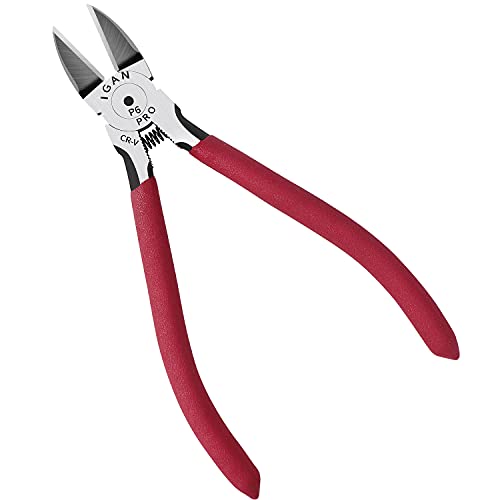
Flush cutters or a dedicated wire cutter give the cleanest removal for support material near a visible surface, since they trim close without gouging the plastic the way pliers can. A deburring tool with interchangeable blades cleans up any remaining support scars or stringing afterward. Removing supports slowly and from the direction the support was printed, rather than snapping outward against the part's surface, reduces the chance of tearing a chunk out of a finished wall.
Does material choice change how well overhangs and bridges print?
Yes. PLA is generally the most forgiving material for overhangs and bridges because it cools and stiffens quickly under normal part-cooling airflow. PETG tends to string more and can sag slightly more on steep overhangs since it stays workable a bit longer after leaving the nozzle. ABS and ASA are more prone to warping than sagging, and both benefit from a stable, draft-free environment rather than aggressive cooling, which changes how their overhangs and bridges are tuned compared to PLA. TPU's flexibility makes support removal trickier regardless of the overhang angle, since bending the part to snap supports away can distort a flexible surface that a rigid material would not.
| Support type | Filament use | Removal difficulty | Best for |
|---|---|---|---|
| Grid / normal | Higher | Moderate to hard in tight spaces | Flat, easily accessed overhangs |
| Tree / organic | Lower | Generally easier | Curved or organic overhangs, fewer contact points |
| Support interface | Adds a small amount | Easier clean break at the part surface | Any support touching a visible surface |
Equipment mentioned here
- BOENFU
BOENFU Wire Cutters Heavy Duty Snips Flush Cut Side Cutters Pliers
$7.99 Check pricePrices change often - PEASUG
Deburring Tool with 12 HSS Blades for Metal Resin PVC 3D Print
$9.99 Check pricePrices change often - KLEIN TOOLS
Klein Tools D275-5 Diagonal Flush Cutting Pliers, 5-Inch
$12.97 Check pricePrices change often


Common questions
What angle can I print without support?
Roughly 45 degrees from vertical is the commonly cited starting point, but the real answer depends on part cooling, print temperature and material. A well-cooled PLA print can often exceed that angle, while a hotter, less-cooled print of a stringier material may fail well before it. Testing an overhang calibration model on your own printer gives a more reliable number than any general rule.
What is the difference between a bridge and an overhang?
An overhang is an angled surface that gradually loses support as it rises. A bridge is a horizontal span with no support directly underneath its middle section, relying on the filament stiffening quickly in cooling airflow as it stretches across the gap. Bridges and overhangs are tuned with different settings, since bridging relies more heavily on fan cooling than most angled overhangs do.
Are tree supports always better than grid supports?
Not always. Tree supports generally use less filament and remove more cleanly from curved surfaces, but grid supports can be more predictable and stable under a large, flat overhang. For a simple flat overhang with easy access, grid supports are often just as practical; for organic shapes or hard-to-reach areas, tree supports are usually the better choice.
Why do my supports leave marks on the finished part?
Support material bonds to the part surface wherever it touches, and removing it can leave small scars or rough patches. A support interface layer, a thin, more weakly bonded layer at the contact point, reduces this significantly. A deburring tool or fine sandpaper can clean up any remaining marks after the main support structure is removed.
Can I avoid supports entirely by changing how the part is oriented?
Often, yes. Rotating a model so its overhangs sit closer to vertical, or so a problem overhang becomes a flat bottom against the build plate, frequently removes the need for support altogether. This is usually worth trying before adding support material, since it saves both filament and post-print cleanup time, though it can trade one overhang problem for a different one elsewhere on the part.